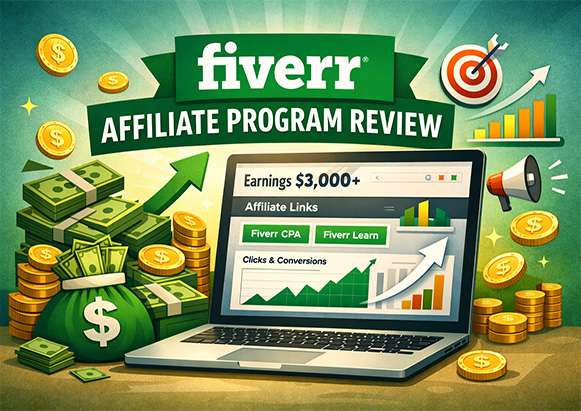
In this article, I’ll walk you through a complete review of the Fiverr affiliate program, from start to finish, and explain how I’m earning over $3000 per month using it.
I’ll be taking you through:
- An honest review on Fiverr’s affiliate program …
- Fiverr’s affiliate program sign up (with approval tips and tricks)…
- Getting your affiliate links once approved…
- How to promote these affiliate links and the exact traffic sources that I am using to bank $3000+/month…
- How to withdraw your money and get paid once it starts rolling in…
With that being said… Let’s jump right into it:
Table of Contents
- An honest review of Fiverr’s affiliate program:
- How to signup and actually get approved:
- Getting your affiliate links once you have been approved…
- How To Promote Your Affiliate Links & Bank $3000+ Per Month
- #5. How To Withdraw Your Money From Fiverr’s Affiliate Program:
1. An honest review of Fiverr’s affiliate program:
I have to admit, the Fiverr affiliate program was a real game-changer for my affiliate marketing journey because it offers a wide range of services to promote, making it easy to match content to different audiences.
One of the biggest advantages of Fiverr’s affiliate program is its versatility — it works well for almost any niche.
The main limitation, however, is that commissions are only paid for first-time buyers. This means if someone who already has a Fiverr account makes a purchase, you won’t earn a commission. Only new users who sign up through your affiliate link will count toward your earnings.
The upside is that Fiverr can pay up to 300% commission on certain sales, which makes it a highly rewarding program for affiliates who can drive new customers. Overall, I believe it’s a solid program to work with.
2. How to signup and get approved for fiverr affiliates
Signing up for the Fiverr affiliate program is straightforward, but there are a few important steps to follow to ensure your application is approved. Don’t worry — if you follow this guide carefully, approval is almost guaranteed.
Step 1: Make sure you have a Fiverr account
Before joining the affiliate program, you need a Fiverr account. If you don’t already have one, go to www.fiverr.com and create your account. This will allow you to promote Fiverr services and track your affiliate earnings properly.
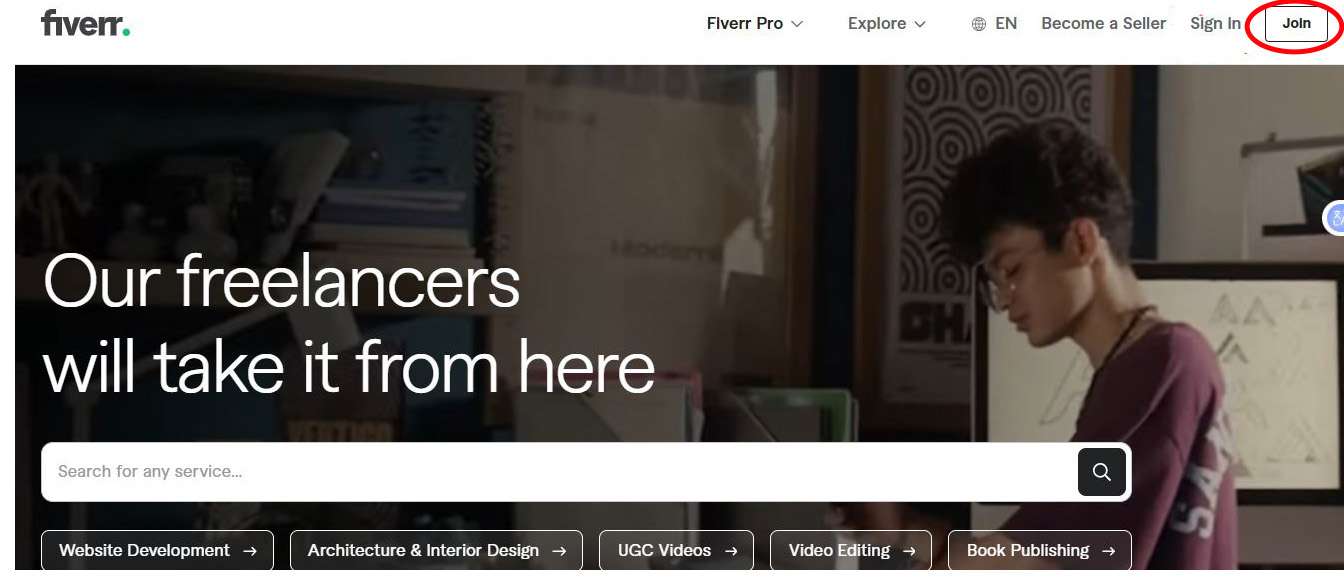
Step 2: Apply to the Fiverr Affiliate Program
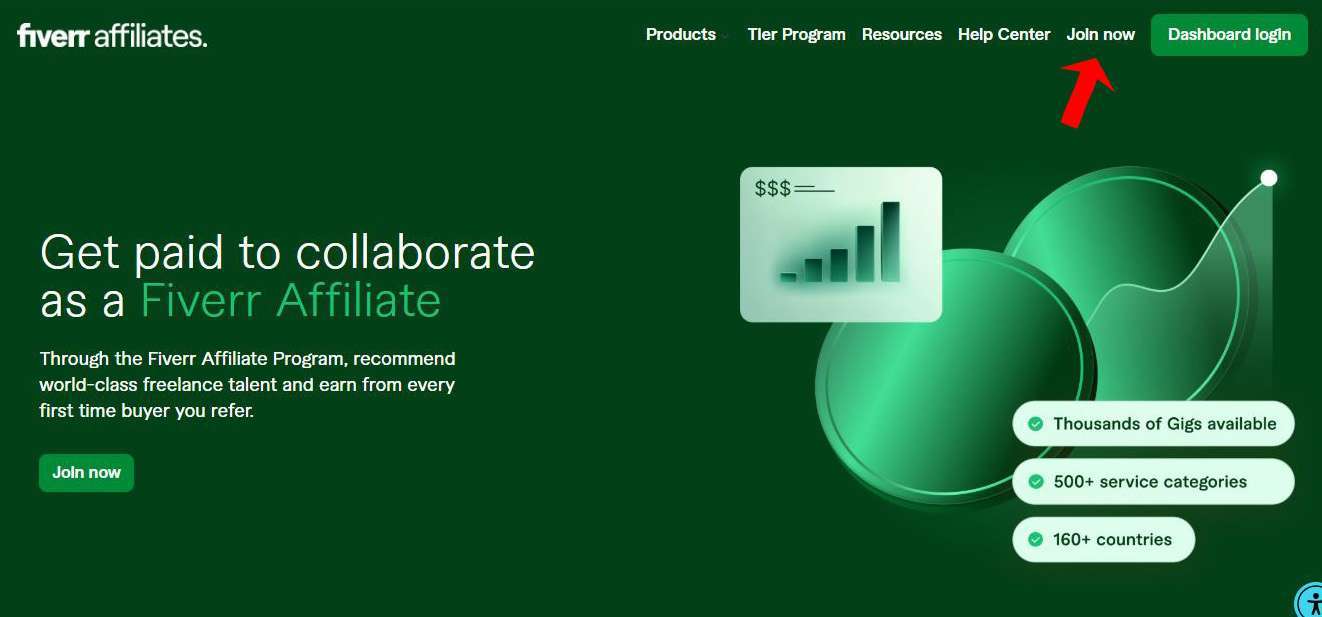
Once your Fiverr account is ready, head over to the Fiverr Affiliate Program sign-up page. You’ll be asked to provide basic details, including:
-
Name and username
-
Email address
-
Password
-
Phone number
-
Skype ID (free to create if you don’t have one)
-
Country
-
Company (optional)
-
Website or content platform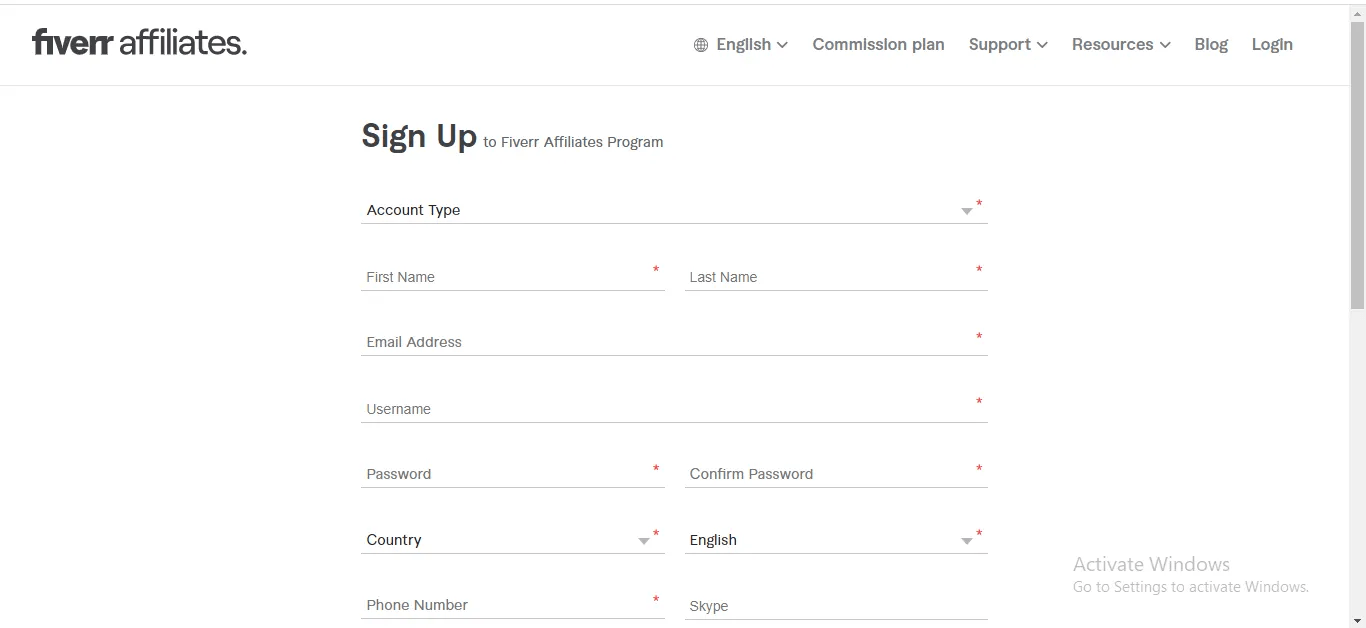
-
Tip: Use accurate information for your phone, Skype ID, and website. If you don’t have a website, a YouTube channel works as well. If you don’t have either, you can even temporarily use a legitimate business website URL with existing content — this helps get your application approved.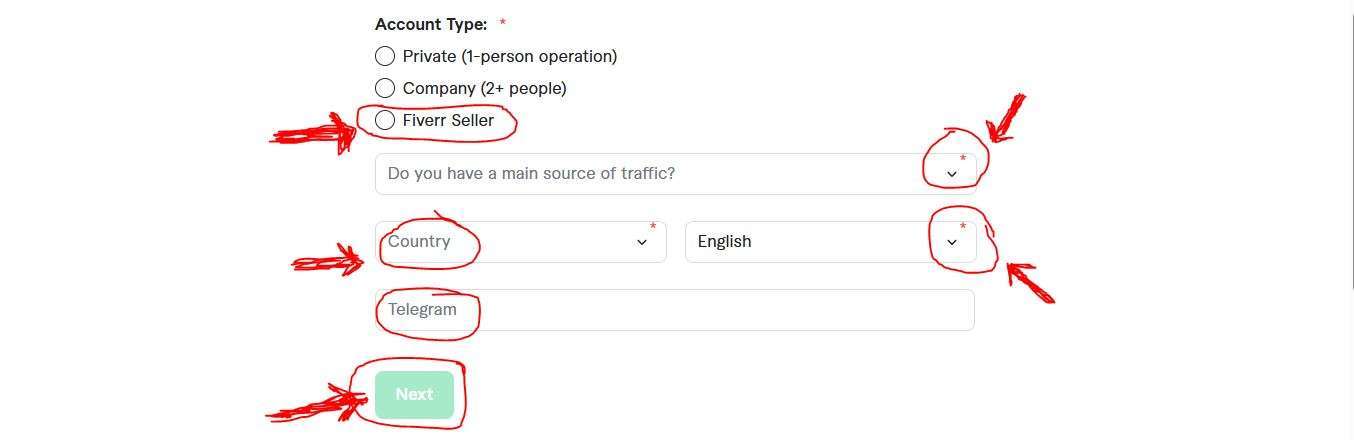
Once all this is done… You should receive an email that looks exactly like the one below only if you actually followed my steps as regards getting approved as you will only see this email. If only you got approved into the program…
Step 3: Wait for approval
After submitting your application correctly, you’ll receive a confirmation email from Fiverr if your application is accepted. The email will include a link to log in to your affiliate dashboard. Click that link and enter your login details to access your Fiverr affiliate account.
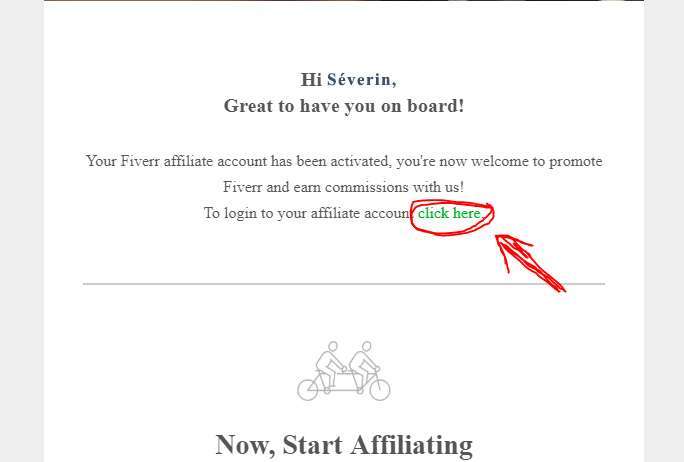
All you got to do is click the spot that says click here and you’ll be taken to the page below, where can enter your log-in details and login to your Fiverr affiliate program dashboard
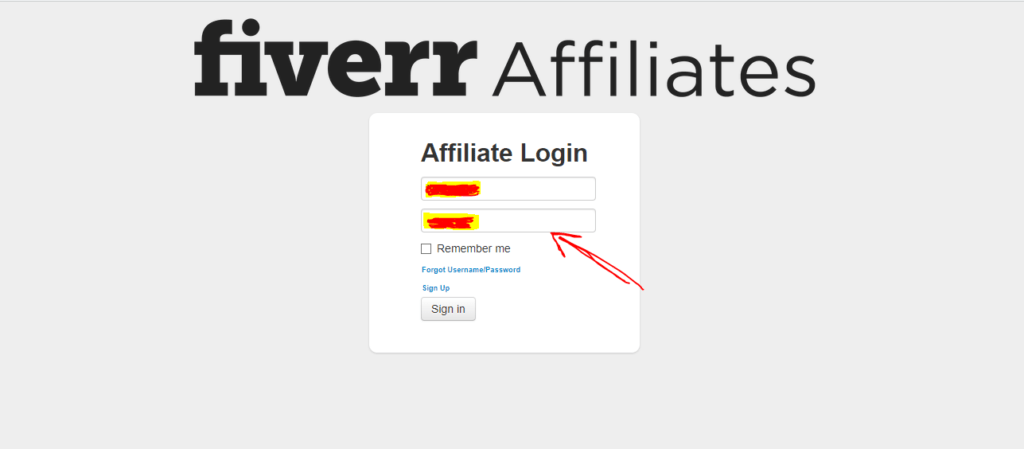 Once you’re logged in, you’re ready for the next step: getting your affiliate links and starting to promote Fiverr.
3. Getting your affiliate links once you have been approved…
Once your application has been approved and you’ve logged in to your Fiverr affiliate dashboard, the next step is to locate your affiliate links. These links are what you’ll use to promote Fiverr and earn commissions.
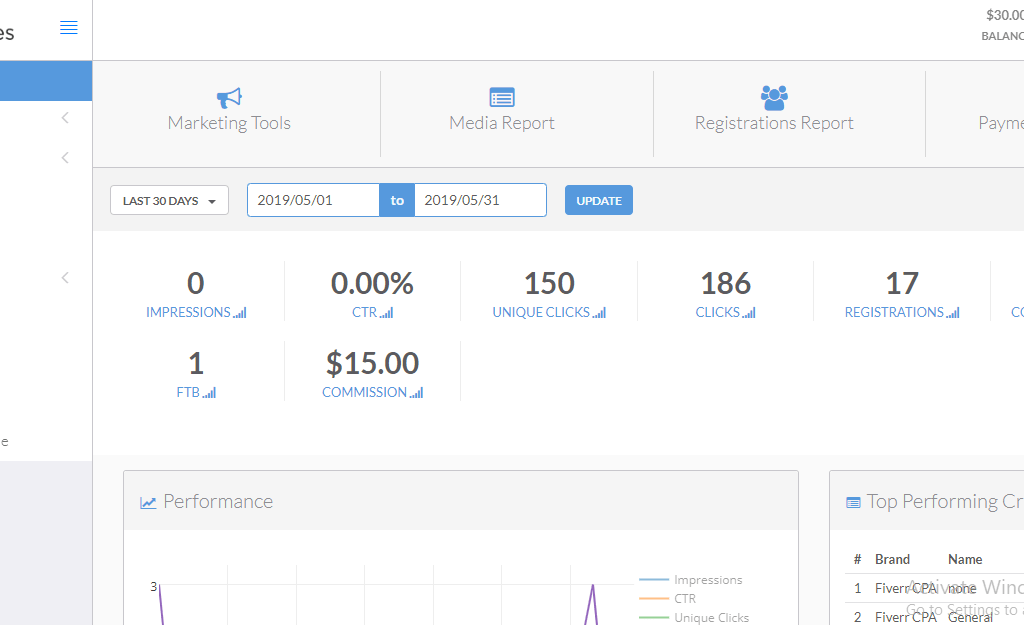
Step 1: Navigate to Marketing Tools
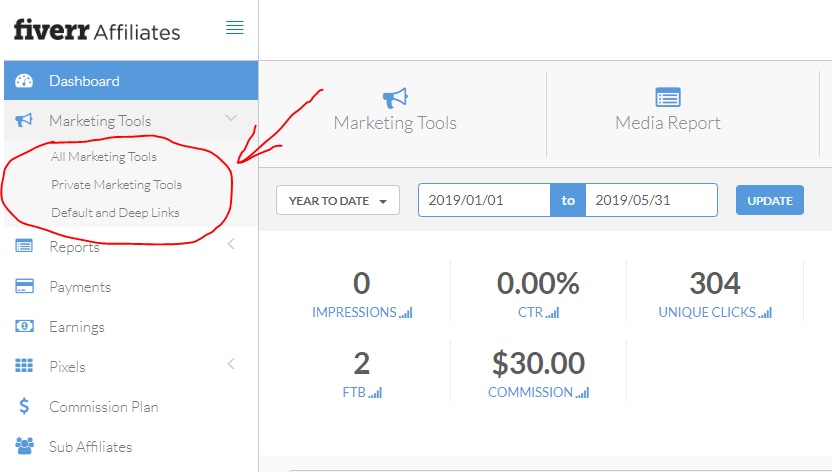
On your dashboard, look for the “Marketing Tools” option — usually located in the top menu or side panel. Click on it, and a dropdown will appear with several options:
-
All Marketing Tools
-
Private Marketing Tools
-
Default and Deep Links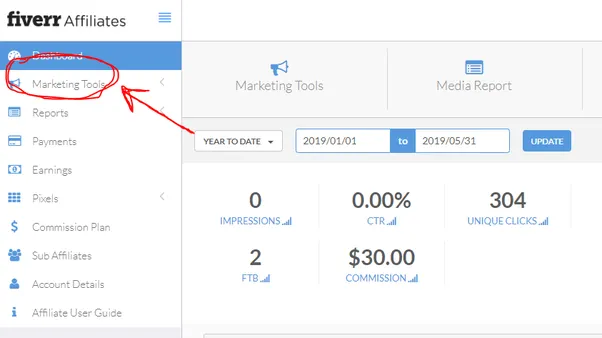
Step 2: Choose Default and Deep Links
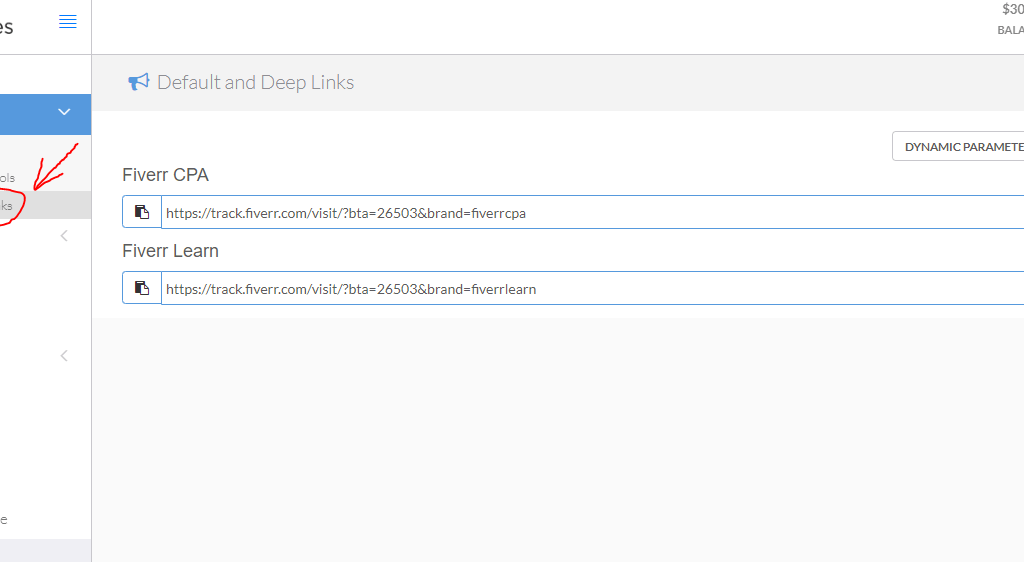
To get the links you’ll use for promotions, select “Default and Deep Links”. This section provides you with the actual affiliate URLs.
Here you’ll typically see two main types of links:
-
Fiverr CPA Link – This links to the Fiverr marketplace where all digital services are sold.
-
Fiverr Learn Link – This links to Fiverr’s educational platform with courses.
Step 3: Copy the Links You Want to Promote
Decide which platform you want to promote and copy the corresponding link. Keep it safe, because these are the links you’ll share in blog posts, social media, YouTube videos, or other traffic sources.
Once you have your links ready, you’re all set to start promoting Fiverr and driving sales. The next step will cover how to promote these links effectively so you can maximize your earnings.
4. How To Promote Your Affiliate Links & Bank $3000+ Per Month
Earning over $3k per month from a single affiliate program may sound impressive, and it is! But the good news is you don’t need to spend a dime on ads to achieve this.
Here are the top three traffic sources I use to consistently drive clicks and sales to my Fiverr affiliate links:
Traffic Source #1: Quora
Quora is a Q&A platform where people ask questions and look for helpful answers. This makes it perfect for affiliate promotion.
The strategy is simple:
-
Search for questions related to your niche, for example: “Where can I find freelancers to write articles for my website?”
-
Provide a helpful answer and naturally introduce Fiverr as a solution.
-
Include your Fiverr affiliate link at the end of your response.
When done correctly, Quora can send you steady traffic and generate sales from people actively looking for services.
Traffic Source #2: Pinterest
Pinterest works like a visual search engine. Instead of regular search results, it shows images called pins. People often search Pinterest for solutions, inspiration, or services, making it a great platform for affiliate promotion.
Here’s the approach:
-
Do keyword research to find search terms relevant to Fiverr services, such as: “How to get Instagram content created”
-
Create a pin linking to Fiverr using your affiliate link.
-
Optimize the pin for the keyword so it appears in Pinterest search results.
When someone clicks your pin, signs up for Fiverr, and purchases a service, you earn a commission. Over time, Pinterest pins can continue driving traffic for months without extra effort.
Traffic Source #3: YouTube
YouTube is my largest source of traffic for Fiverr promotions. By creating videos around topics your audience is searching for, you can attract users who are ready to buy.
The process is:
-
Perform YouTube keyword research to identify high-demand topics.
-
Make videos around those keywords, giving value while explaining how Fiverr can help.
-
Include your Fiverr affiliate link in the video description and mention it naturally in your video.
YouTube videos can continue sending traffic for a long time, making this a highly scalable and long-term strategy.
By combining these three traffic sources — Quora, Pinterest, and YouTube — you can consistently generate clicks, new Fiverr sign-ups, and commissions.
In the next section, I’ll show you how to withdraw your earnings from Fiverr once the commissions start rolling in.
#5. How To Withdraw Your Money From Fiverr’s Affiliate Program:
Once your commissions start showing up in your Fiverr affiliate dashboard, the next step is setting up your payment method so you can get paid.
Here’s how to do it step by step:
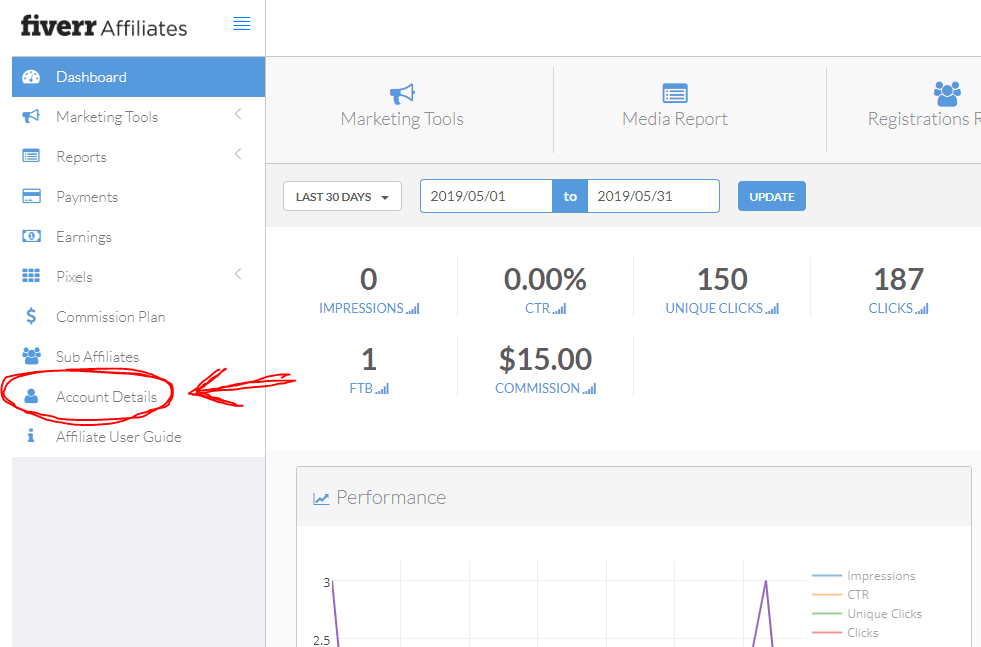
Step 1: Access Account Details
While logged into your Fiverr affiliate dashboard, click on “Account Details” in the left-hand menu. This is where all your personal and payment information is stored.
Step 2: Edit Payment Details
Once you’re in Account Details, find the “Payment Details” section. Click the “Edit” button to select your preferred payment method. Fiverr offers several options depending on your country, including bank transfer, PayPal, or other supported payout methods.
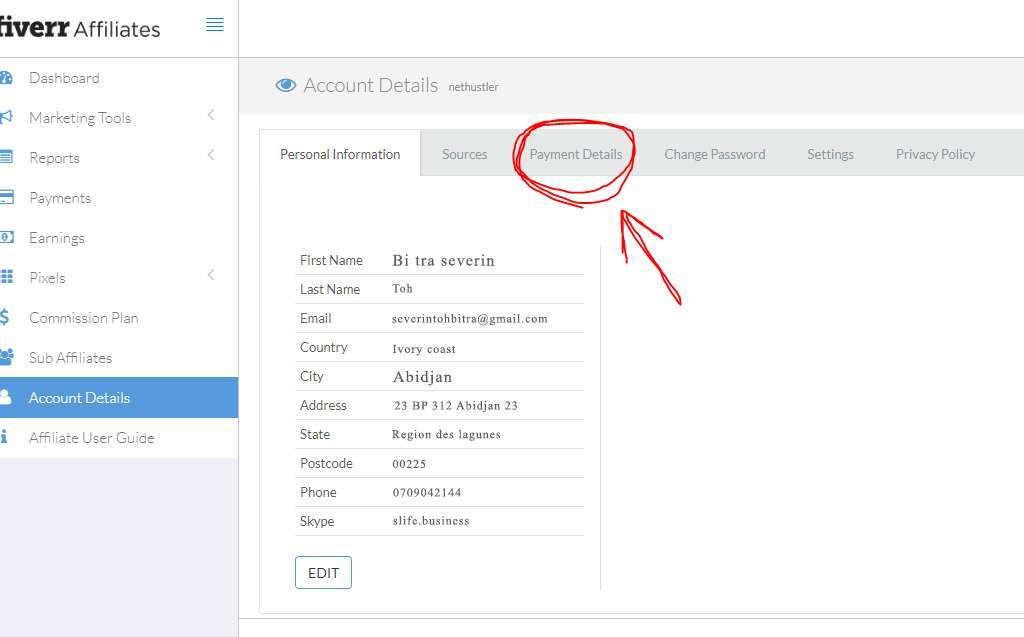
And On the above page, you have to click on “Payment Details” as shown by the red arrow above and once you click on it you’ll see a page that looks exactly like the one below…
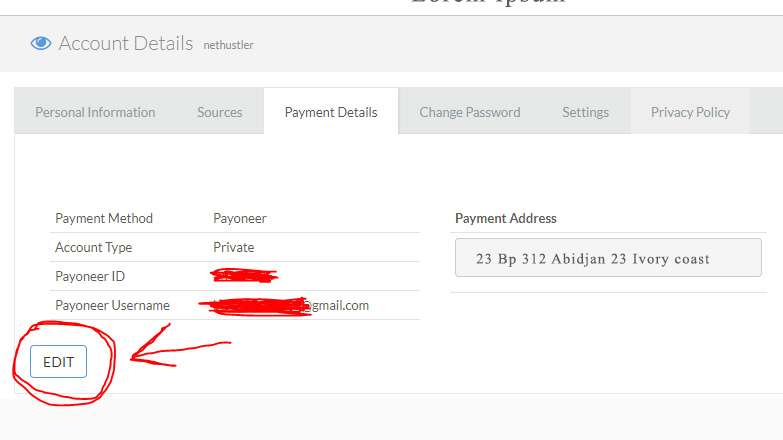
Step 3: Save Your Settings
After entering your payment information, make sure to save the changes. Your earnings will now be directed to your chosen payment method whenever you reach Fiverr’s payout threshold.
Quick Tips:
-
Always double-check your payment information to avoid delays.
-
Keep track of your commissions in your dashboard to know when you can withdraw.
-
Remember, only approved first-time buyer sales count toward your earnings. Tip for New Readers: If you haven’t already, make sure to create your Fiverr account at www.fiverr.com, then sign up for the Fiverr Affiliate Program to start sharing your affiliate links. Once you have your links, you can follow the strategies outlined in this guide to start earning commissions and eventually withdraw your earnings.

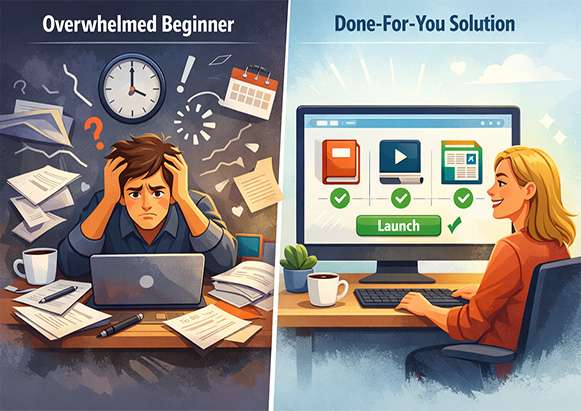
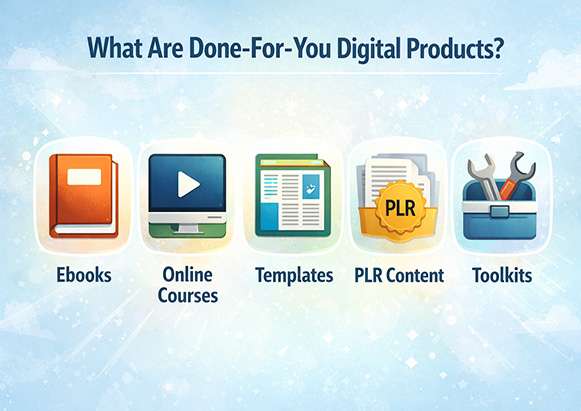
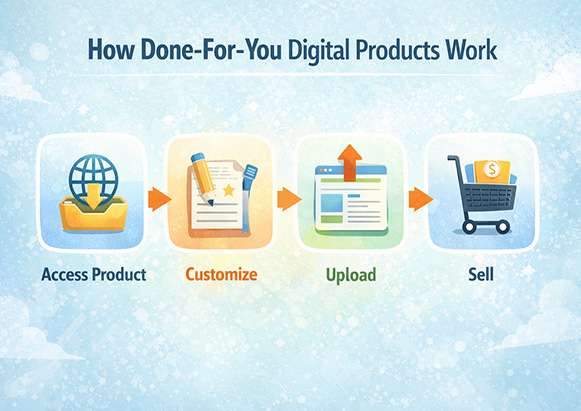
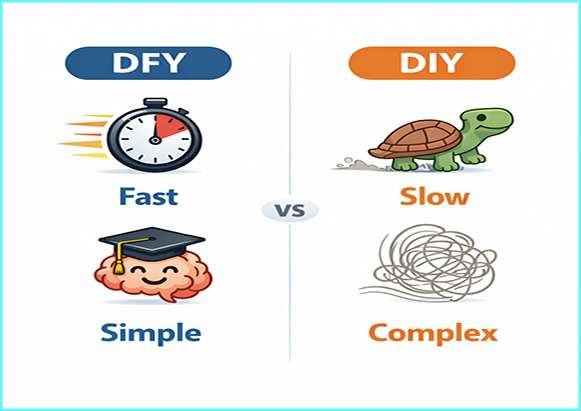
 Creating digital products from scratch can be exciting, but for many beginners, it quickly becomes overwhelming. Writing content, designing files, setting up delivery systems, and testing everything can take weeks or even months.


 Growing on Instagram is more challenging than ever. Many beginners post consistently, use hashtags, and still see little to no growth. If you’re struggling to gain followers, reach the right audience, or get engagement on your posts, you’re not alone.